Sign it. Fill it. Fix it.
Every PDF task, one fast editor.
Better PDF is a fast, native PDF editor for Windows, macOS and Linux. Edit text, fill forms, sign, redact, OCR scans and convert to Word or Excel, offline. Your documents stay on your own machine, not uploaded to us, unless you choose to send one for signature.
Free forever for viewing & light edits. Pro unlocks everything, from A$8.25 a month.
Built in Sydney by JCR Computers
Most PDF editors are slow, bloated, and overpriced.
Heavy installers. Cluttered toolbars from a decade ago. Subscriptions that cost more than they should. Better PDF does the things you actually do with a PDF (edit text, fill forms, sign, redact, OCR a scan, merge pages, convert to Word or Excel) instantly, offline, on your own machine, and without the bloat.
One PDF editor. Every PDF task that matters.
Annotate
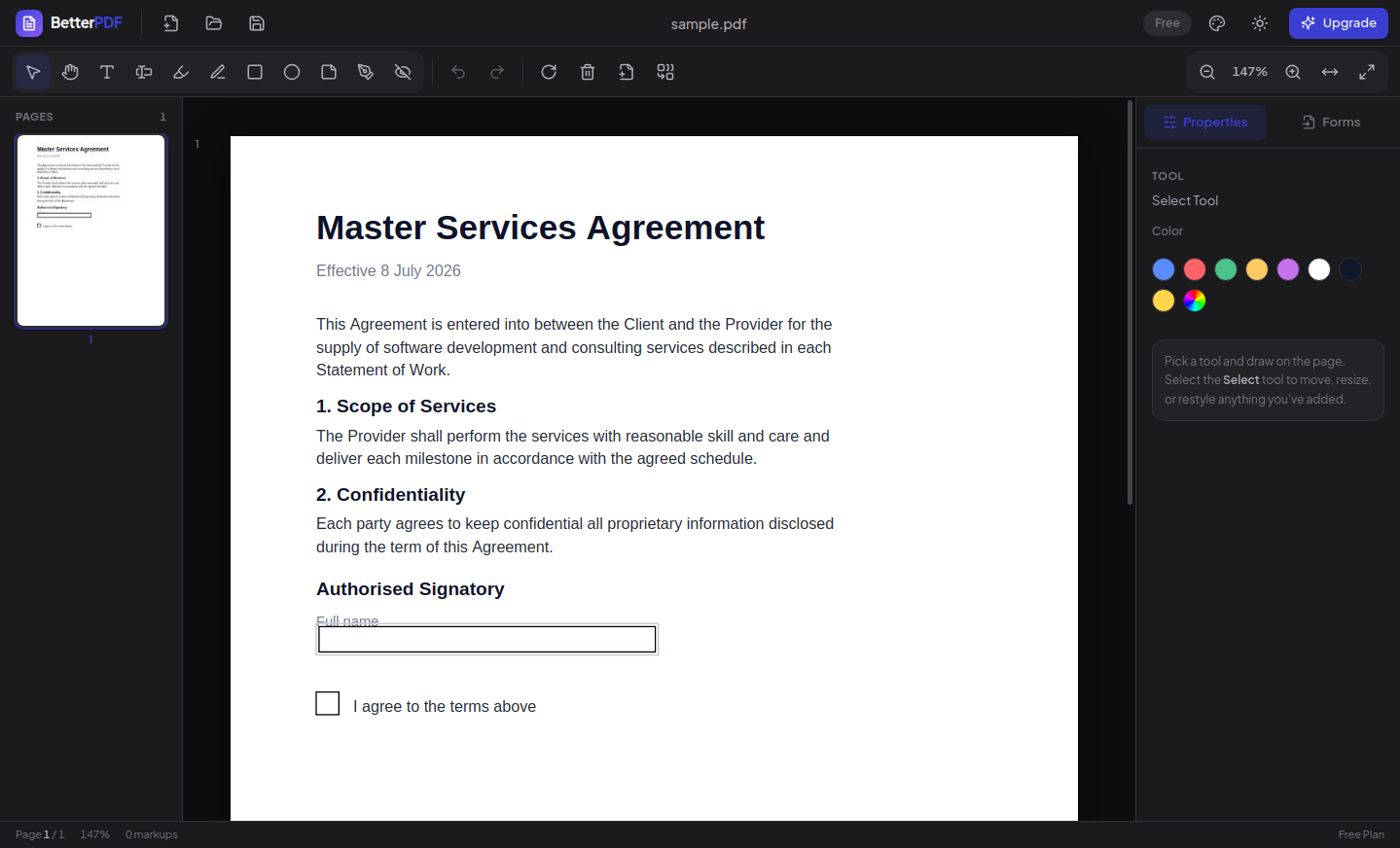
Highlight, underline, draw, and comment, without it looking like a ransom note. Precision tools for ink, shapes, sticky notes, and text callouts.
Fill & Sign
Draw it, type it, upload it. Create a signature once, drop it anywhere, and lock the page.
Smart Forms
Fill in a PDF’s form fields, tab through them like a real form, then flatten for a clean, uneditable copy. Build your own fields too.
Page Tools
Rotate, delete, reorder, extract, all from a visual thumbnail rail. No menus.
Merge & Split
Combine ten PDFs or carve out one page. Same speed either way. No upload queue. On Windows, select PDFs in Explorer, right click and choose Combine with Better PDF.
Request Signatures
Send a document to someone else to sign in their browser, in order if there is more than one signer. It is the only document Better PDF ever uploads, and only because you chose to send it. The completed file comes back with a trusted timestamp, so any later change is detectable.
Redact, for real
Black bars that actually remove the data underneath. The words, the part of any image, and any form field or link under each box are taken out of the file, and the rest of the page stays real, searchable text. Redact all matches, in the Find bar, blacks out every match of a word in one go, and leftover hidden content is cleaned out on save. Redaction runs offline, on your machine.
More tools, all in the same app
- Edit PDF textClick any existing text and rewrite it, matched to the original font.
- OCR for scanned PDFsRecognize Text turns image-only pages into searchable, selectable, editable text, on your machine.
- PDF to Word and ExcelProTables become real spreadsheets with numbers and dates you can add up and sort. Word export keeps paragraphs, headings, fonts, pictures and columns.
- Word, Excel and PowerPoint to PDFOpen Office, RTF, OpenDocument, text and CSV files straight in as a new PDF.
- Save as PDF/AAn archival PDF/A-2b copy, the format courts, councils and archives ask for.
- Compare two PDFsSide by side, with changed areas tinted and lists of added and removed text.
- Password protectEncrypt with AES-256, or remove a password you know.
- Compress PDFShrink images while keeping text, links, form fields and bookmarks.
- Watermark and page numbersDiagonal watermarks, running headers and footers, and page numbering.
- StampsAPPROVED, DRAFT, CONFIDENTIAL, VOID and your own text.
- Comments, bookmarks and attachmentsA Comments panel lists every comment, including ones left in other PDF viewers, beside the bookmarks and embedded files.
- MeasureDistance and area on plans and drawings, calibrated to scale.
- Batch processingProWatermark, compress, add or remove a password, merge, or export pages as images, across many PDFs at once.
- AI AssistantSummarise, ask questions with page-cited answers, and find personal details to redact, using your own AI key (OpenAI, Azure, OpenRouter, or a local model through LM Studio or Ollama).
Your signature, drawn once. Used everywhere.
Draw it with a trackpad, type it in a handwriting-style font, or upload a photo of your real signature. Better PDF remembers it, on Windows, Mac and Linux alike, so signing your next contract takes four seconds, not four minutes.
- Reusable signature & initials library
- Visual signing, plus certificate (digital) signing with your own .p12 or .pfx file, or one Better PDF creates for you
- Signing your own document happens on your machine. Nothing is uploaded
- Sending a document to someone else for signature uploads that one document, and Better PDF tells you before it does
Built for the way you actually work.
Annotate a contract in seconds.
Highlight, comment, and draw. Dark mode by default.
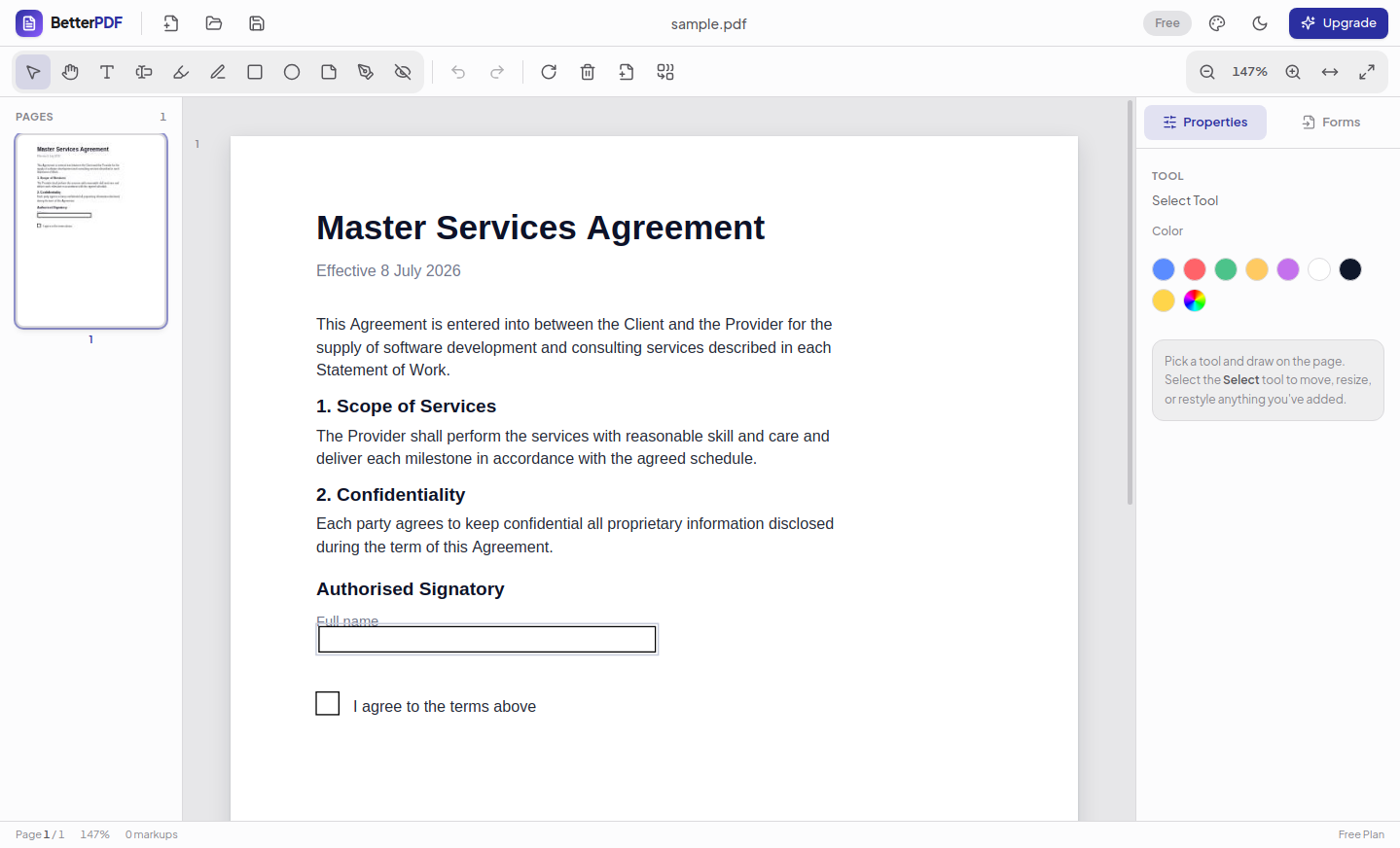
Prefer light? One click.
Six themes, plus System, Light, or Dark. Your call.
Restructure pages by dragging.
Rotate, delete, reorder, and merge, all visually.
How Better PDF stacks up against a typical PDF suite.
The same everyday PDF tasks, with a lighter footprint and a fairer price.
| Better PDF | A typical PDF suite | |
|---|---|---|
| Pricing | A$8.25 a month billed yearly, or A$9.90 month to month | About A$24 to A$40 a month, forever |
| Cost per year | From A$99, all features | A$287.88 to A$479.88 by tier |
| Startup time | ~1 to 2 seconds | 5 to 10+ seconds |
| Works offline | Yes | Often needs a cloud sign-in |
| Installer size | Under 150 MB | Over 1.5 GB |
| Uploads your documents without asking | Never | Often, by default |
| True redaction | Yes | Higher tiers only |
| Native Linux build | Yes | No |
| Interface | Fast, focused, modern | Heavy legacy toolbars |
Better PDF opens and edits standard PDF 1.7 to 2.0 and PDF/A files, saves standard PDF with no proprietary lock-in, and can save an archival PDF/A-2b copy. Prices in Australian dollars.
Fair pricing. Cancel anytime.
Every paid plan unlocks every feature. Pay for the year and save, or pay month to month and cancel whenever you like.
Save 20%. Billed once a year. Prices in Australian dollars.
Free
For reading, reviewing, and light markup.
- View & navigate any PDF
- Highlight, comment, freehand annotate
- Fill & Sign with reusable signatures
- Edit existing text, with font matching
- OCR for scanned PDFs
- Page rotate, delete, reorder & split
- Save documents up to 5 pages
Pro
Everything, for one person.
- Everything in Free, plus:
- Save documents of any length
- True redaction
- Merge PDFs
- Export to Word & Excel
- Flatten filled forms
- Batch processing
A$99.00 a year, one payment.
Teams
For 5 or more people. Lower per seat.
- Everything in Pro, for every seat
- Centralised billing & one invoice
- Multi-seat licence keys
- Direct support by email
- Help getting your team set up
Minimum 5 users. Custom pricing above 25 seats.
Download Better PDF for Windows, Mac and Linux.
Version 0.7.4. Free to use, no account needed. Runs on Windows 10 and 11 (64-bit), macOS 11 or newer on Apple silicon and Intel, and 64-bit Linux (AppImage or .deb). Windows builds are signed by JCR IT Services Pty Ltd, and Mac builds are signed by JCR and notarised by Apple.
Compare the SHA-256 of the file you downloaded against the value below. On Windows: certutil -hashfile <file> SHA256. On a Mac: shasum -a 256 <file>
- Better PDF-0.7.4-setup.exe
- 020a82968cdd534d13bd133211c8fd402682e763773e3bfb646ac65600c1d69f
- Better-PDF-0.7.4-win-x64.zip
- 724c844d2bd18b9bb398931e95b80efc77d90586eebf9111a91647ff646b7deb
- Better PDF-0.7.4-arm64.dmg
- 614f6f006fcc45aecfaf7c219b6ef9f94c8cba41f58912406b27e264aa99211a
- Better PDF-0.7.4-x64.dmg
- 19439486d3d9a8c45100254c5a7f2457d7a7cb1a6aac4d13b74a8589acf11b09
- Better PDF-0.7.4-x86_64.AppImage
- 36711cec801c4eb9ba8973ab14521da3e6cd4c64f858ad61d2f7fc02910a6105
- Better PDF-0.7.4-amd64.deb
- d43ce159b87cbbbd64c4323eb90aca0c051d97b31f0533f900b3f223775075a8
Windows SmartScreen shows “Windows protected your PC” for any installer it has not seen enough times yet, even a correctly signed one. Click More info and check the publisher line reads JCR IT Services Pty Ltd, then Run anyway. If it says anything else, or says Unknown publisher, do not run it: the file is not ours.
You can confirm the signature yourself before running anything. Right click the file, choose Properties, then the Digital Signatures tab.
Older releases and the update feed live at license.betterpdf.io/updates.
What’s new in Better PDF.
Shipping improvements every week. Here is the latest.
v0.7.4
NewOctober 2026- Detect Form Fields finds the boxes, lines and tick boxes on a form that cannot be filled in and makes them fillable, each named after its label.
- Typed signatures use real handwriting fonts, and long names are never cut off.
v0.7.3
Fixed- Redaction removes exactly what the box covers on rotated, shifted and cropped pages, and Redact all matches covers the whole word.
- A box over part of a form field or comment removes only that part, and PDFs with editing restrictions can now be saved.
v0.7.2
New- Digitally sign can create a signing certificate for you, remembers it for next time (never the password) and shows its fingerprint so others can check it is yours.
- Fixed an “Object has been destroyed” error when reopening Better PDF on Windows after a print that never appeared.
Better PDF questions, answered.
Everything you do to a PDF, in one fast app.
Free to download. Thirty seconds to install. No account required to get started.
v0.7.4 · Windows 10+, macOS 11+, Ubuntu 20.04+ · 113MB